Stop sending the same Slack update one channel at a time.
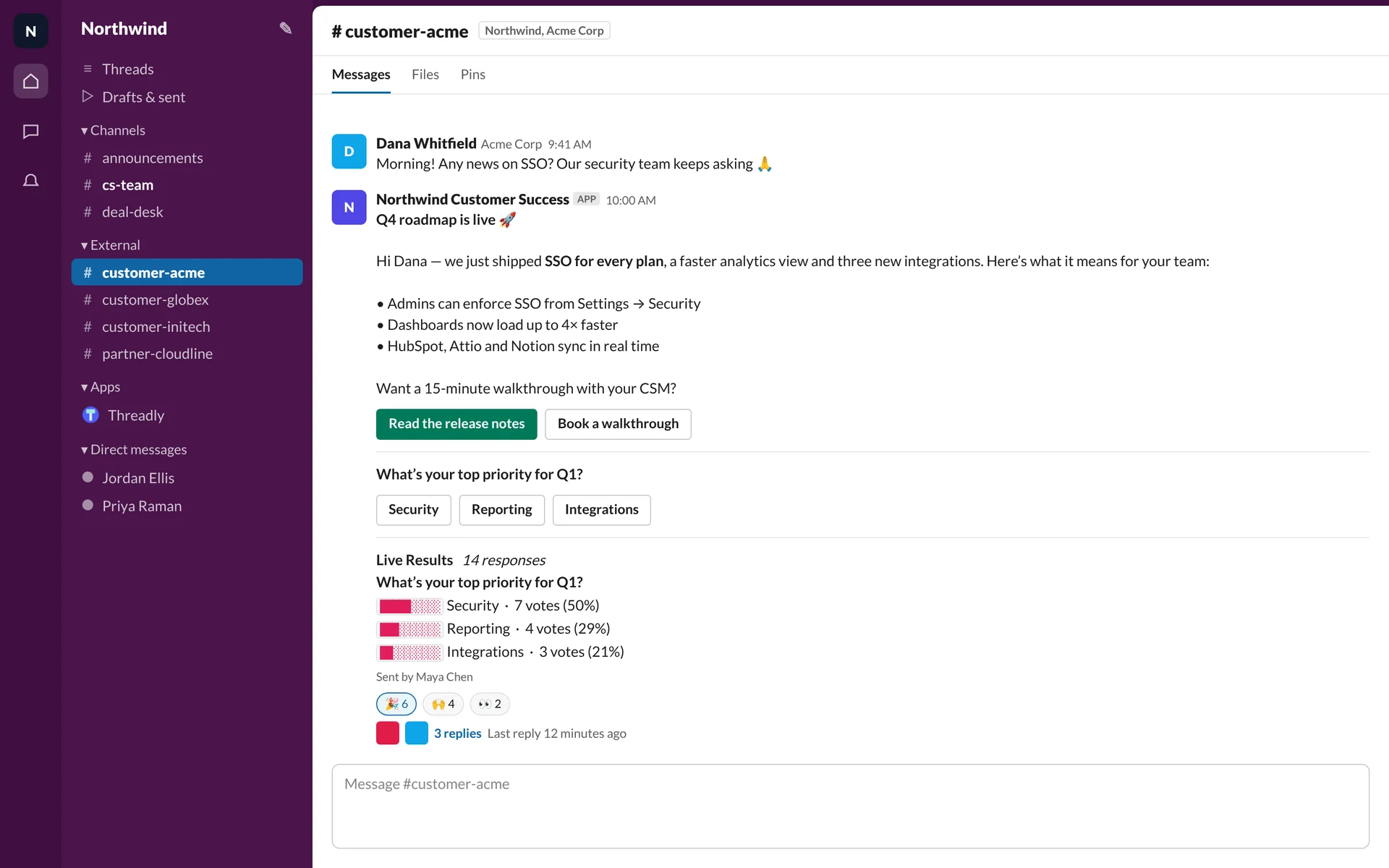
Send updates across customer and partner channels, add buttons and forms, and track who takes action.
Free to start. No credit card required.
Your update. Every channel you choose.
Trusted by hundreds of teams





Less repeated posting. Fewer replies to chase.
Get answers without sending people elsewhere.
Add a Threadly form, poll or booking button so people can respond inside Slack.
See interactive formsReach the right accounts without rebuilding lists.
Choose customer and partner channels by plan, region or renewal date using your CRM.
Slack Connect broadcasts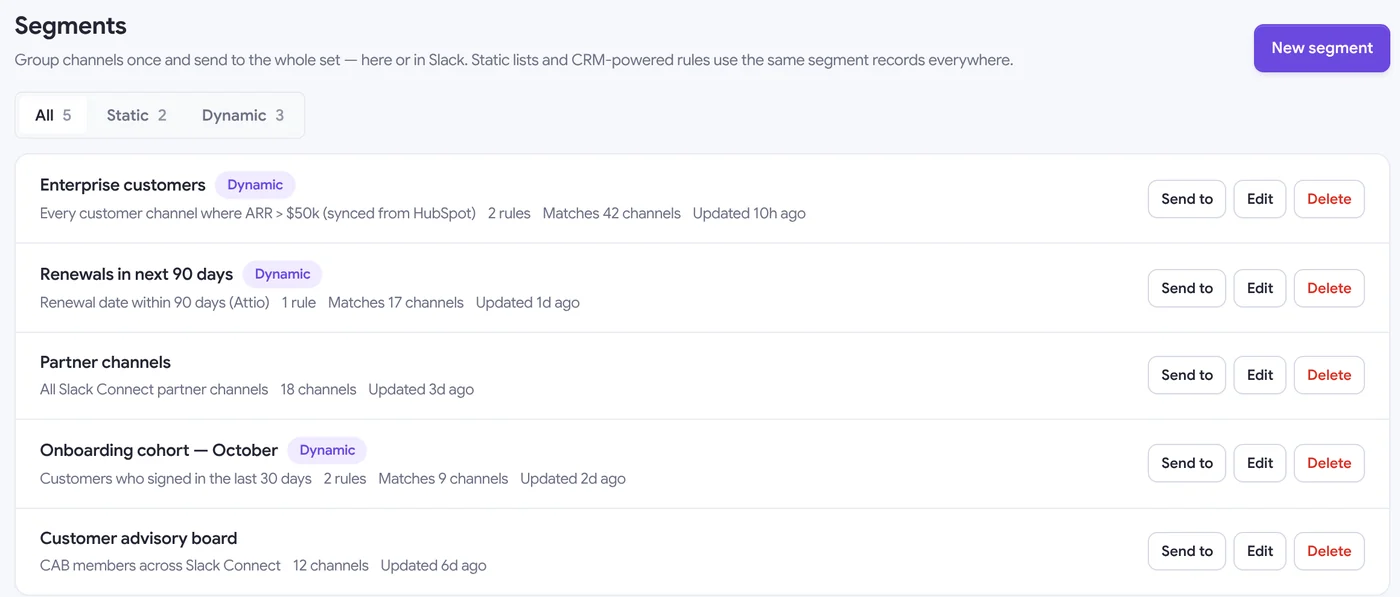
Early access
Follow up in Slack without chasing every reply.
Ask a question and let each answer guide the next message. Bring your team in when someone needs help.
Explore Journeys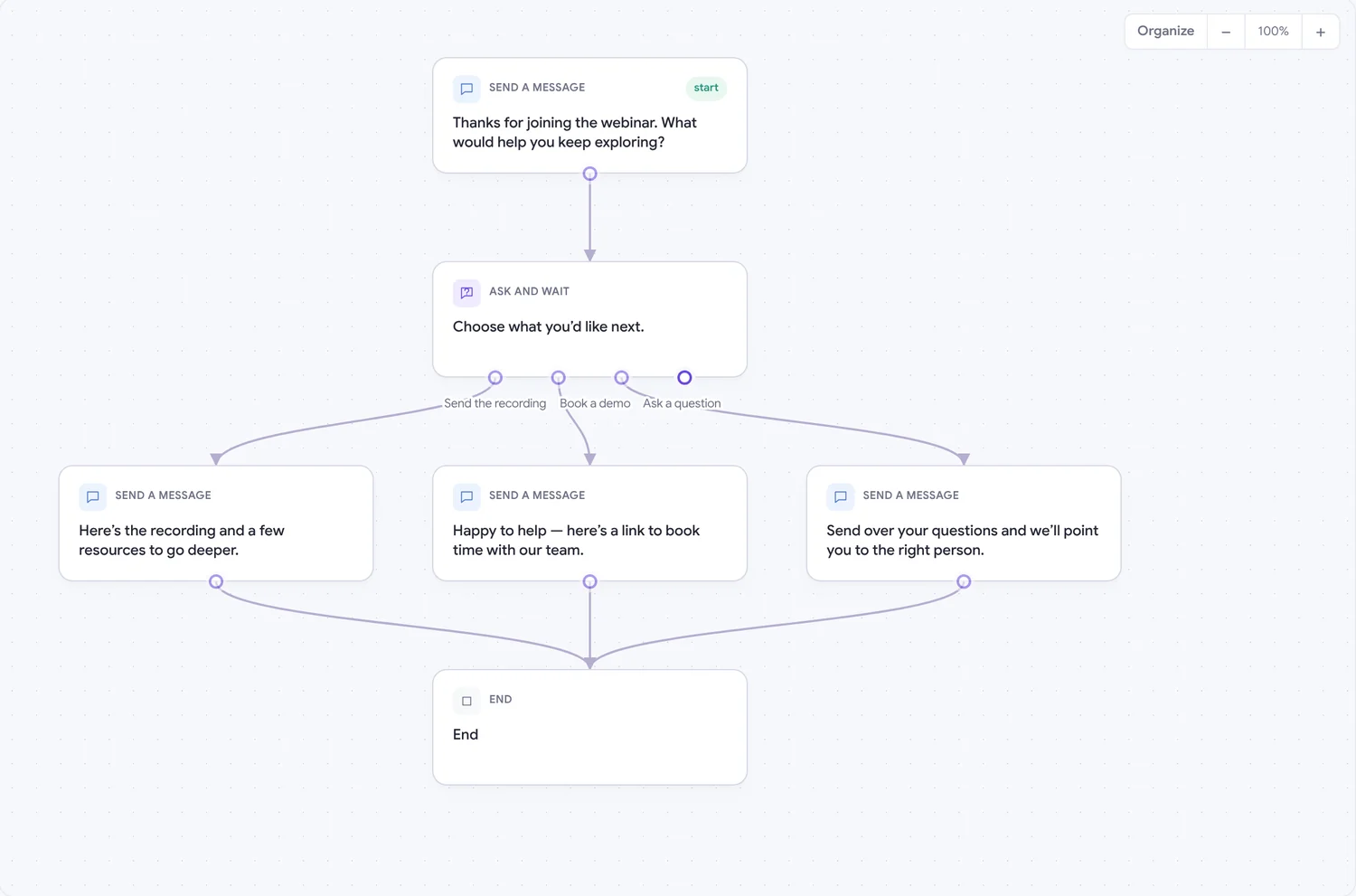
The update you send every week, sent for you.
Schedule recurring updates or trigger a welcome when a deal closes.
RevOps workflows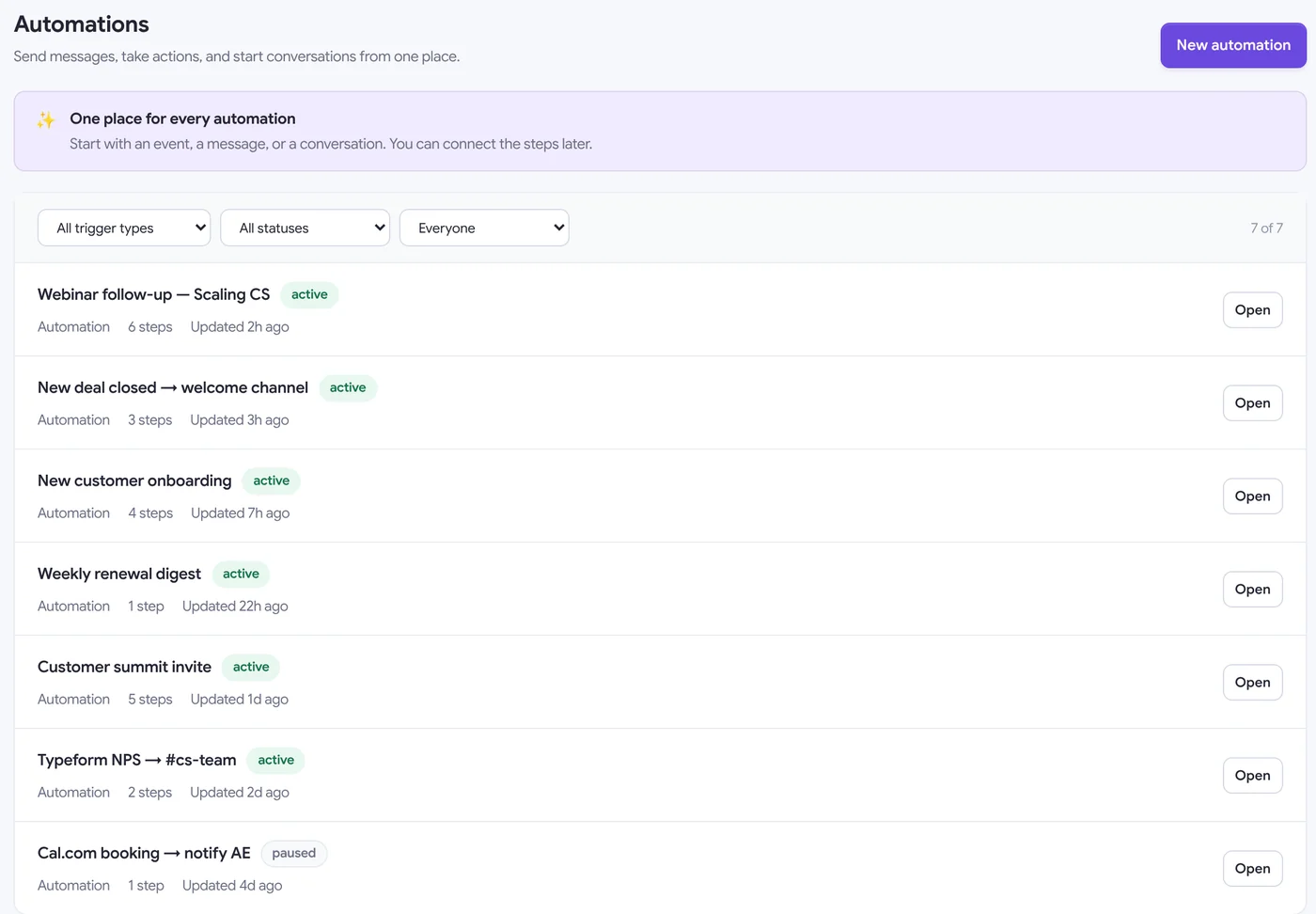
Know which accounts need a follow-up.
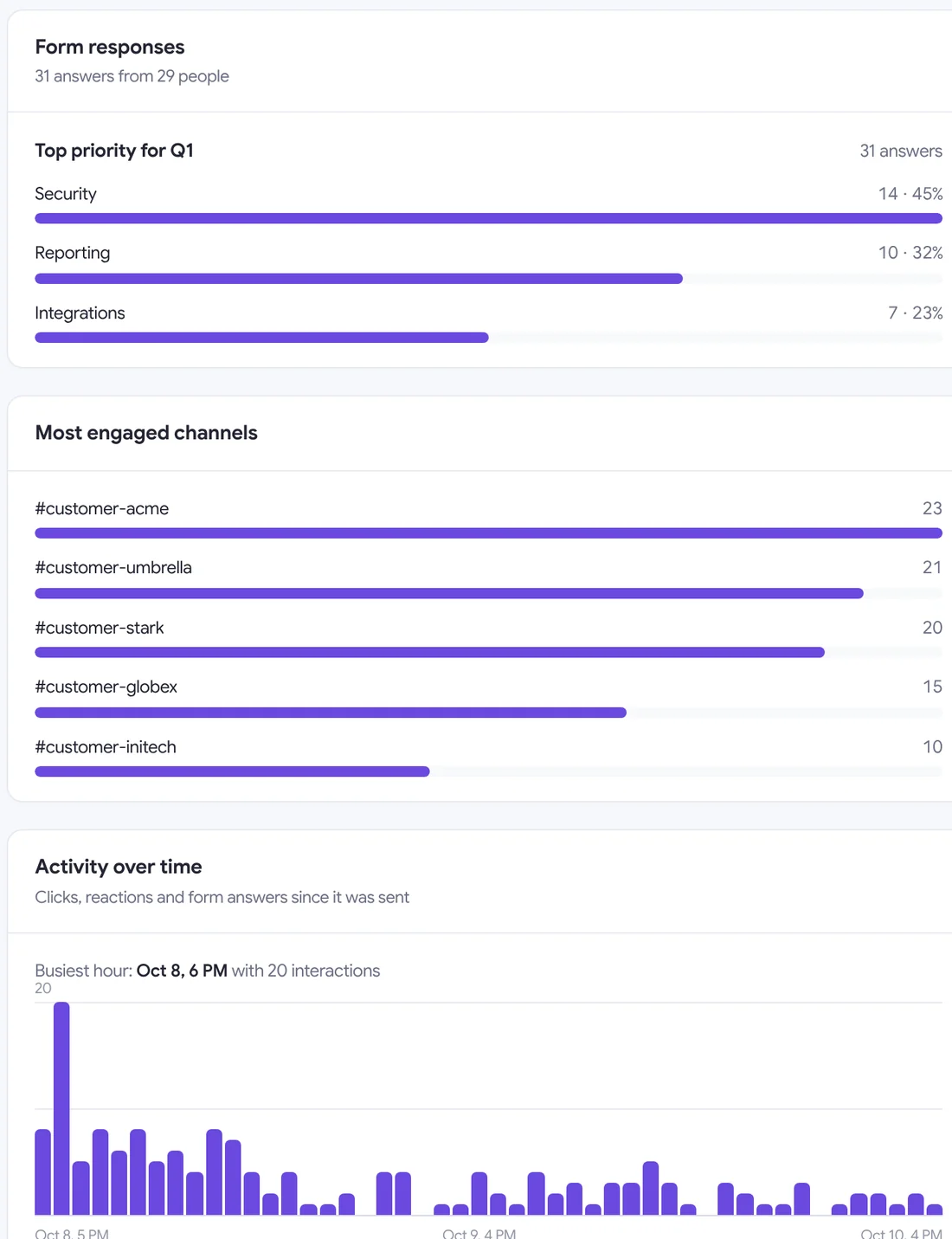
See clicks, replies and form responses for each account.
Send and respond inside Slack.
Use Threadly in Slack, with a web workspace when you need more room.
Always in sync
Changes to drafts, segments and automations stay in sync between Slack and the web app.
Sign in with Slack
No new accounts or passwords. Your workspace, channels and teammates are already there.
Nothing to install for recipients
People you message only ever see Slack. Clicks, votes and bookings all happen in the message.
Already installed? Open the web app →
Broadcasts
One message to hundreds of channels, DMs or Slack Connect partners.
Forms & polls
Build interactive Threadly forms, reuse them in messages and connect answers to journeys.
Scheduling
Send later in any timezone, or on a recurring schedule.
Segments
CRM-powered channel groups that update themselves.
Journeys
Branching, multi-step conversations with per-person runs.
Analytics
Engagement per channel and person, plus weekly reports.
Who it's for
Built for teams who live in Slack
but outgrew it.
For any team that sends updates, surveys and follow-ups across many Slack channels.
Customer Success
Update every customer channel once and see which accounts need a follow-up.
Partnerships & Agencies
Launches and enablement in every partner or client channel, without copy-paste.
RevOps & Sales
Keep Slack audiences current with CRM data and automate welcomes and renewal outreach.
Support & CX
Share outage updates across customer channels at once and collect feedback in Slack.
HR & Internal Comms
Collect check-ins and RSVPs in Slack without chasing answers across tools.
IT Teams
Get complete equipment requests and book setup sessions without the back-and-forth.
Teams use Threadly when
Slack starts to break.
From partnerships to product marketing—teams that live in Slack.
"We use Threadly and it's incredibly useful. Everyone who works with their customers in Slack should be using this."

"Working in partnerships at a SaaS company, I have dozens and dozens of Slack Connect channels with our agency partners. Threadly has been an awesome means of distributing product updates to all my partners in one fell swoop - no more copy/pasting the same update over and over. The founder is a beast."

"Gone are the days of asking someone on the team to share the news in different connected partner and customer channels. Just use @TryThreadly."

Plays nicely with your stack.
Connect Slack, CRM, and schedulers so every interactive message stays in sync with how you already work.
Some integrations are available on the Pro plan.







Send your next Slack update once.
Reach your customer and partner channels with one message.
Ask about Threadly
Compare Threadly using your preferred AI assistant.
 ChatGPT
 Claude
 Perplexity
 Gemini
What is Threadly?
Threadly helps teams send updates across Slack channels, collect responses and automate follow-ups.
FAQ
Common questions about Threadly
Everything you need to know about interactive Slack messages, forms, scheduling, and analytics.